

 Features
What Solid Accounting does, job by job.
A double-entry ledger with invoicing, bills, reports and accountant review built in. Find your work below and check that it’s covered.
From $349, one time · 30-day free trial · Windows, macOS and Linux
Keep the books accurate.
A double-entry general ledger underneath everything. Debits and credits must balance before an entry posts.
- Chart of accounts. Start from a standard template and change it to fit.
- Journal entries. Manual, recurring and adjusting.
- Bank feeds. Included with Updates & Cloud Services. You can also import statement files.
- Bank reconciliation. Finish only when the difference is zero. Reconciled transactions can’t be edited.
- Cash and accrual. Switch the basis on reports.
- Audit trail. Who changed what, and when. Posted entries are reversed, not deleted.
- Classes on every tier. Locations and projectsProfessional+
Solid Accounting DesktopEnter the statement balance, tick what cleared, and finish when the difference is zero.
Get paid. Pay bills.
Invoices, payments and bills post straight to the ledger, so your agings and reports stay current.
- Invoices and estimates. Print or email PDF invoices. Turn an estimate into an invoice in one step.
- Receive payments. Apply payments and credits.
- Cloud Invoicing. With Updates & Cloud Services the invoice email carries a link to view the invoice online. Customers will pay through your own PayPal, Stripe or Square account.Card payments coming soon
- Bills and bill pay. Enter bills, schedule payments, see what you owe.
- Checks, deposits and transfers.
- Sales tax. Tax codes and groups on every tier. Sales tax by stateProfessional+
- 1099s. W-9 tracking, Copy B PDFs and a CSV for e-file.
- Online store orders. Import Shopify and WooCommerce order exports, or connect a Shopify store.Professional+
Solid Accounting Desktop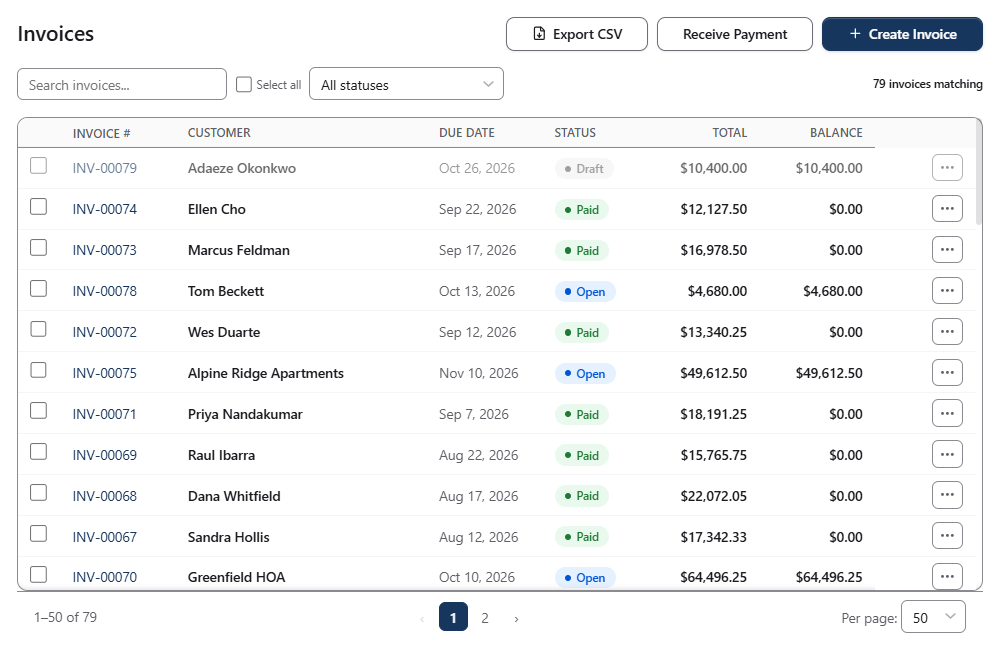
Invoices, payments and what's still open, in one list.
Close the month and report.
Every report is recomputed from the ledger each time you run it. Click any line to see the transactions behind it.
- Profit and loss. Comparatives, budget variance and percentages.
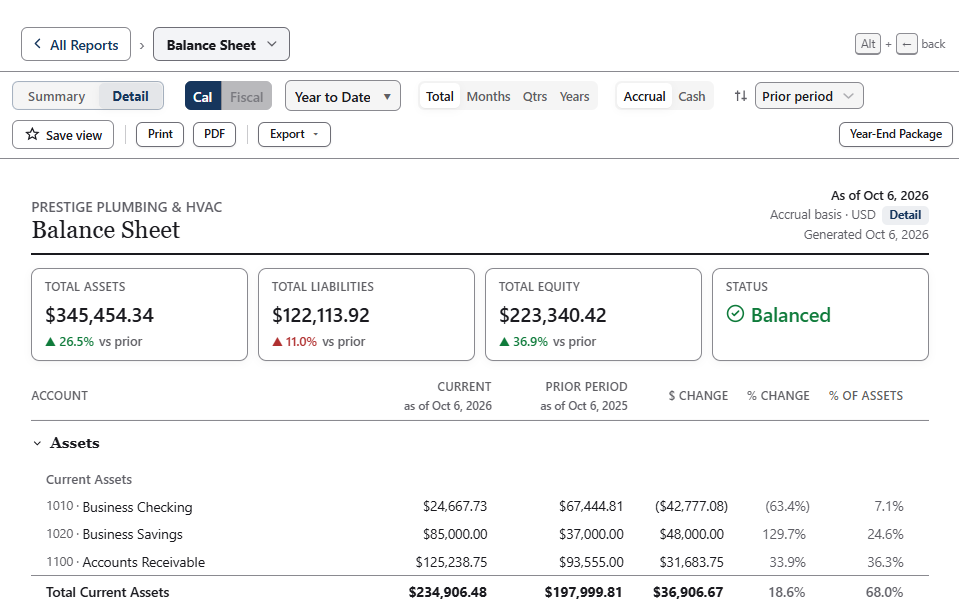
- Balance sheet. As of any date, comparative.
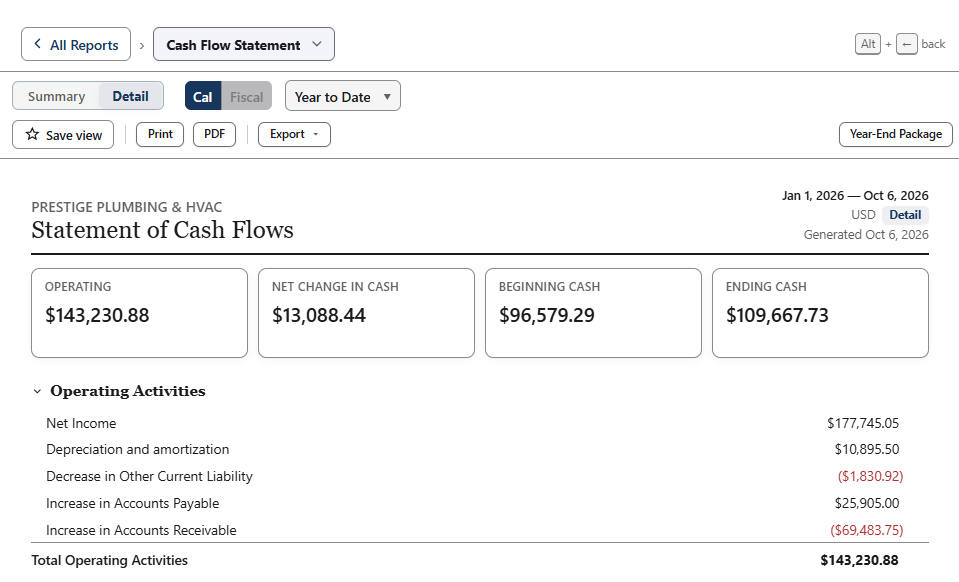
- Cash flow. Operating, investing and financing.
- Trial balance. With adjusting entries, before and after close.
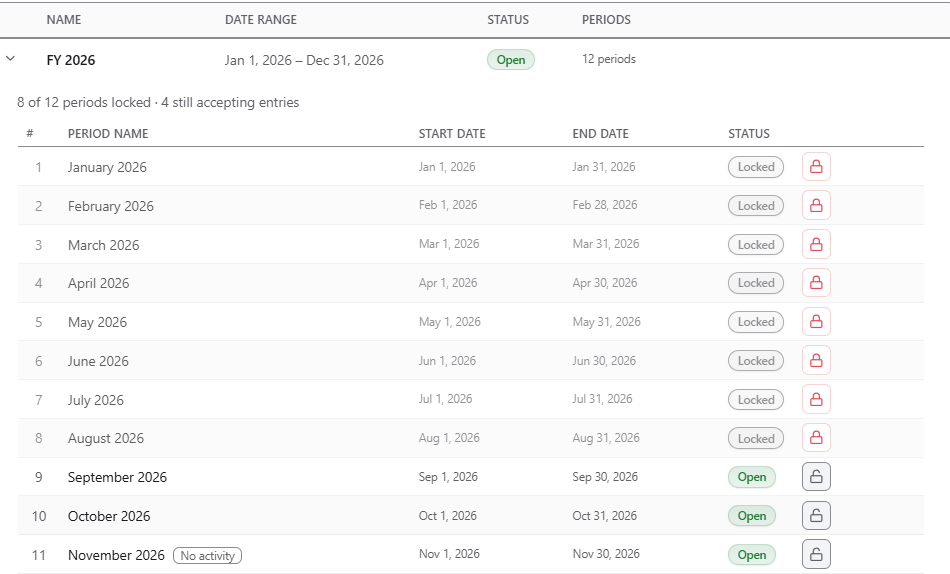
- Period close. Close a month or a year and lock it.
- Tax reports and TXF export for tax software.
- PDF and CSV export of any report. Custom reportsProfessional+
Solid Accounting DesktopClick any line on the profit and loss to see the invoices and entries behind it.
Inventory, fixed assets and loans.
These are built in on every tier. The journal entries post for you.
- Inventory. FIFO or weighted average. Purchase orders, receiving and adjustments.
- Fixed assets. Straight-line, declining-balance and sum-of-years depreciation.
- Loans. Amortization schedules with principal, interest and balloon payments.
- Recurring transactions. Schedule them so you don’t retype entries at month-end.
- Payroll. Solid Accounting doesn’t run payroll. Import your Gusto, OnPay or ADP export and it posts to your books.
- Several companies. One company file per business. ConsolidationProfessional+
Solid Accounting Desktop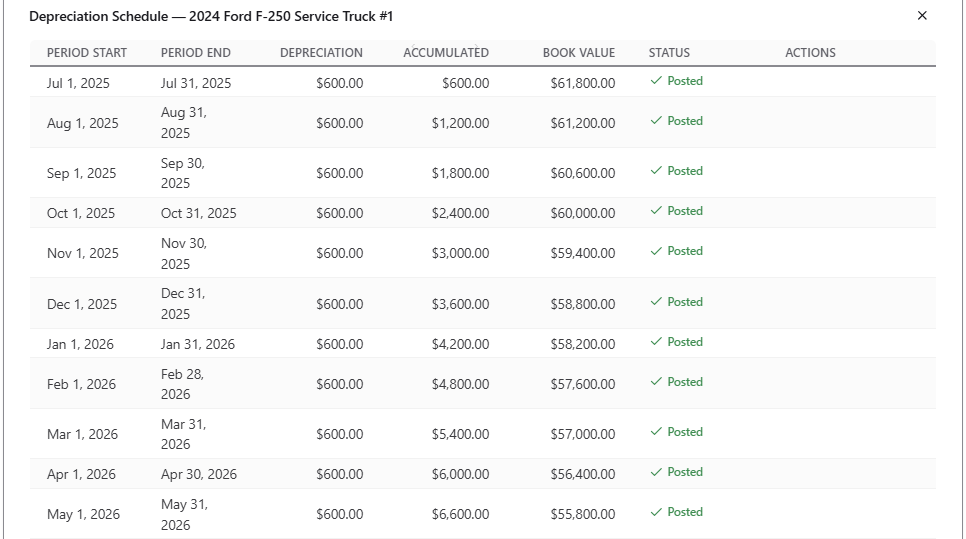
Depreciation schedules post on their own, and Form 4562 exports at year end.
Work with your accountant.
Your accountant can review your books and send changes back while you keep working.
- Accountant’s Copy. Every tier sends a copy and imports your accountant’s edits. Your accountant needs the Accountant tier.
- Year-End Package. Statements, general ledger, agings, depreciation and the 1099 summary in one bundle, with an optional Accountant’s Workbook.
- Roles. Admin, Bookkeeper, Accountant and Read Only.
- Write-up mode and trial balance workpapers.Accountant tier
Solid Accounting DesktopSend your accountant a copy and keep working. Only dates on or before the dividing date are locked.
Several people, one company file.
Each named user has their own sign-in and role. On Professional and Accountant, other computers on your network work in the same company file through the computer that holds it.
Standard, Professional, Accountant. A user is a named user who signs in to the company file. Add more for $100 each, one time.
Admin, Bookkeeper, Accountant, Read Only
Every change is recorded under the person who made it.
One computer hosts the fileProfessional+
Professional and Accountant: share the company file with other computers on your network (up to 5 / 10 named users). Standard: up to 3 named users on one computer, each with their own sign-in.
Automation that can't unbalance the books.
AI and connected apps are optional helpers. They can’t post an unbalanced entry or write into a closed period.
Optional AI, every tier
- On-device AI (coming soon): a built-in model that will run on your computer
- Your own AI assistant through the local gateway you switch on: Claude or ChatGPT on every tier, Gemini and other MCP apps on Professional and up
- Not needed for bookkeeping
Guards that always apply
- Entries must balance to post
- Closed periods stay closed
- AI and app changes are attributed in the Activity Log
- Approval before changes post, when you want it
Bring your history with you.
Move your existing books in from the software you use today.
- QuickBooks® Desktop. 1-click migration: File → Import → QuickBooks Migration reads your .QBW company file without writing to it.
- QuickBooks on another computer? Run the standalone importer there and open its file in Solid Accounting.
- QuickBooks Online, Xero®, FreshBooks®, Wave. Export to CSV, then use the import wizard.
- Bank and card files. CSV, OFX, QFX and IIF files and PDF statements, with mapping and duplicate detection.
- PDF statements. Each import is checked against the statement’s own balances.
- Payroll exports. Gusto, OnPay and ADP formats are detected automatically.

Buy once, keep using.
Buy Solid Accounting once from $349 and keep using the version you bought. Renew Updates & Cloud Services when you want new releases and connected services. 30-day free trial. 30-day money-back guarantee.
One-time purchase · Optional Updates & Cloud Services · Company file on your computer